🚀 Launch Your Own Coin with the Launchlab Coin Creator
With the Chronyx Launchlab Coin Creator, launching your own coin is fast, easy, and fully automated. Whether you’re launching a serious project or experimenting with memes, you can create your token directly through the Telegram bot. No coding, no friction.
🧭 Step-by-Step: How to Launch a Coin
-
Open the Bot Start by sending
/startin the Chronyx Bot to open the main menu. -
Open the Launchlab Coin Creator Tap on “Launchlab Coin Creator” to get started.
-
Choose Optional Metadata Before launching, you can choose to include extra information for your token:
- Description
- Website
- Telegram
🟢 When you activate any of these options (they’ll turn green), they will appear later in the guided creation flow so you can fill them in.
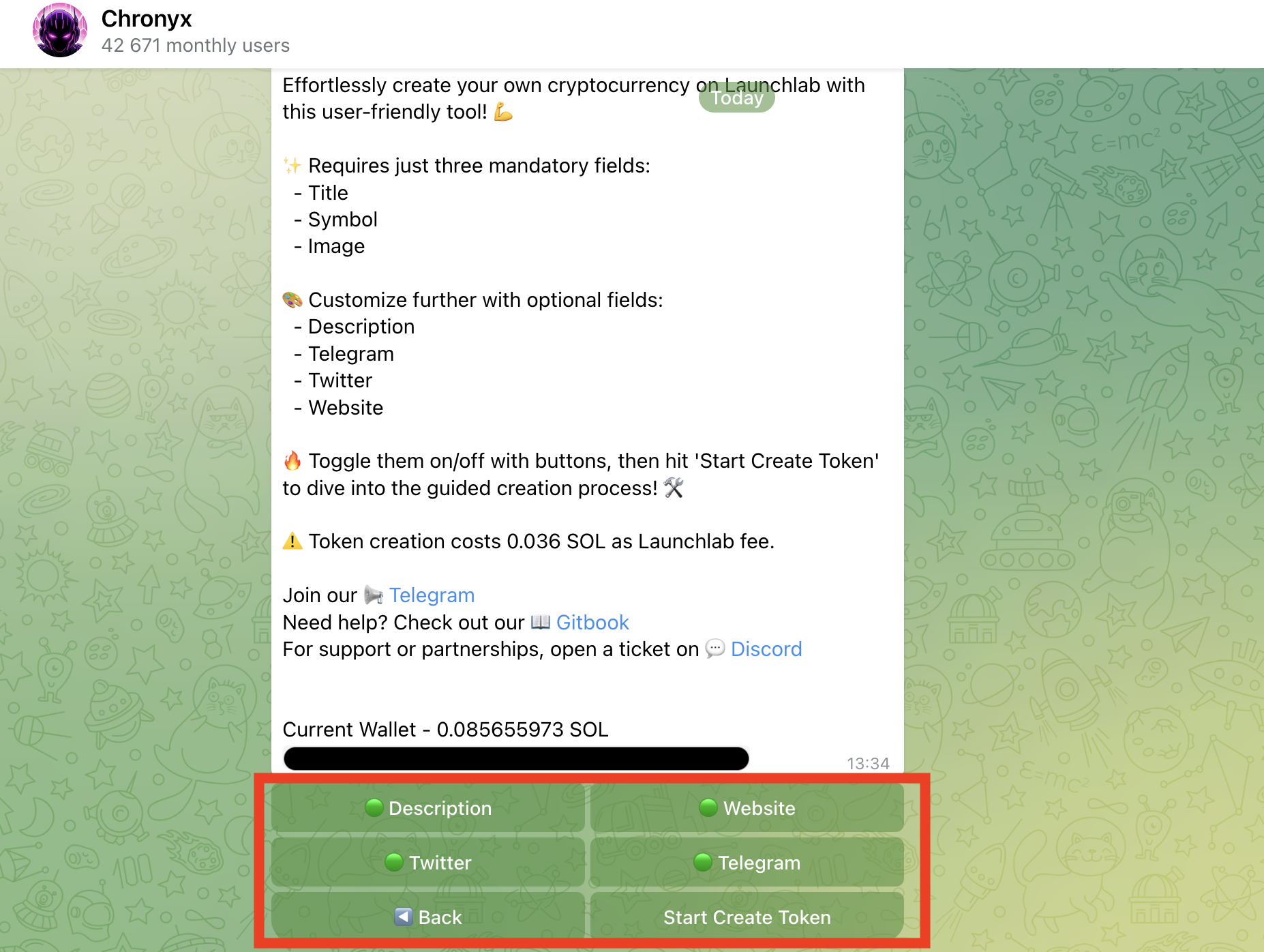
-
Start the Launch Process After selecting your options, click the “Start Create Token” button. This will trigger a step-by-step dialog where you’ll provide all necessary details for your token, one screen at a time.
-
Add Anti-Sniper Buy-In (Optional) At the final step, you can choose to include a buy-in amount. This amount will be automatically used to purchase your token at launch, helping to prevent sniping bots and establish an initial price floor.
-
Launch Your Coin Review your setup, confirm the launch, and your coin will be deployed, fully on-chain and ready for trading.
🔐 Why Use Chronyx for Launches?
- ⚡ Fast & intuitive Telegram experience
- ✅ No technical knowledge required
- 🧠 Clean step-by-step flow to guide you through the launch
- 🛡️ Optional anti-sniper feature
- 💬 Add metadata to build trust and visibility
📌 Pro Tip
Adding a description and links to your socials or website gives your project more credibility and helps it stand out from the crowd, especially when launching in competitive markets.