🔭 Alpha Radar
Alpha Radar monitors the Solana blockchain in real-time for newly launched tokens and alerts you instantly. If you want, it can even buy them for you automatically. Set your filters once and let the radar do the work.
⚡ Status
Alpha Radar has a simple ON/OFF toggle:
- 🟢 ON: Radar is active. New tokens matching your filters will trigger alerts (and auto-buys if enabled).
- 🔴 OFF: Radar is paused. No alerts, no auto-buys.
You can toggle it at any time from the Alpha Radar menu.
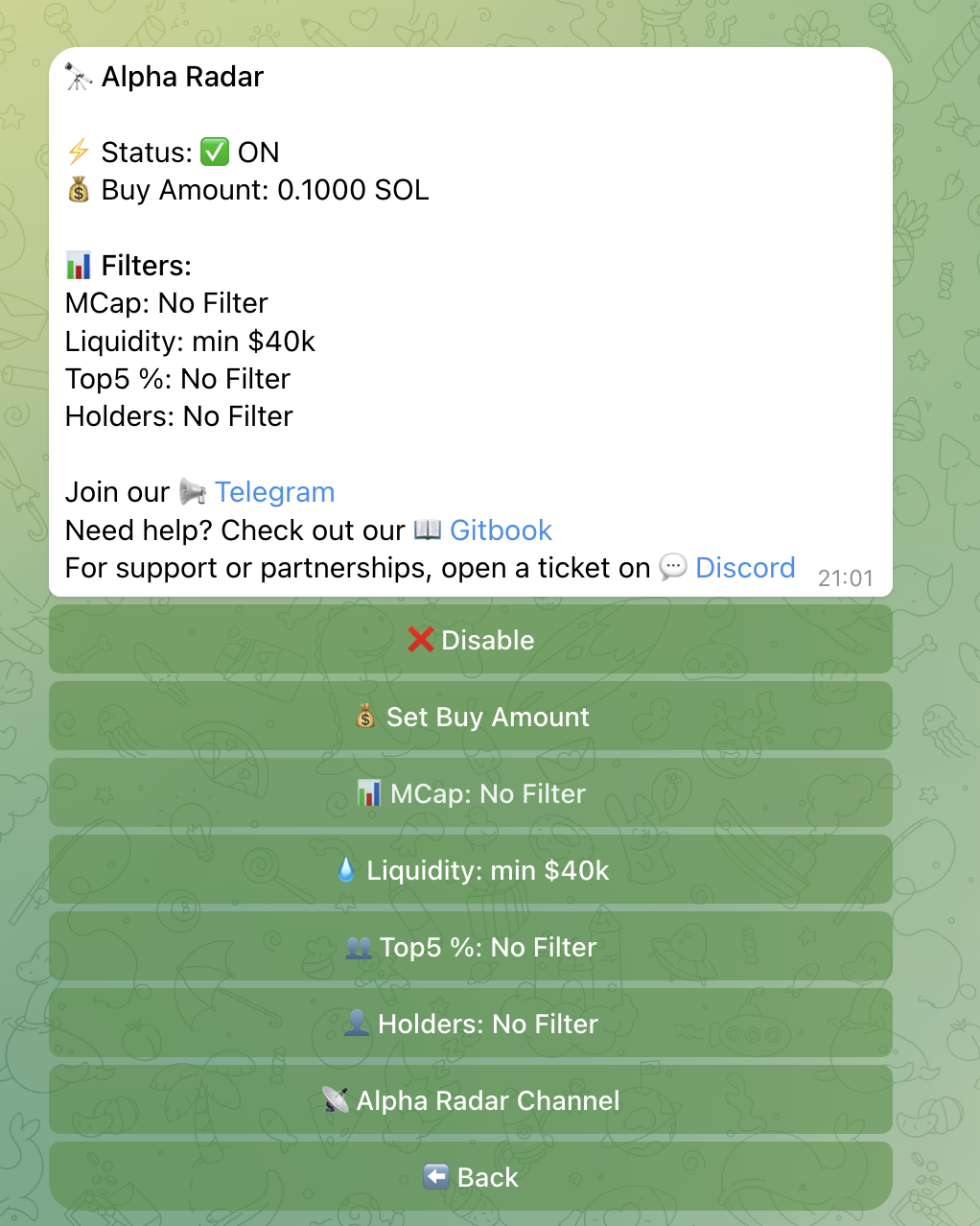
💰 Buy Amount
Set the Buy Amount in SOL that Chronyx will use when auto-buying a token. Default: 0.05 SOL.
⚠️ Important: This amount is only used when Auto-Buy is enabled. Make sure your wallet has enough SOL to cover the amount plus transaction fees.
🔍 Filters
Filters let you define which tokens trigger alerts. Any filter set to 0 is inactive and shown as “No filter”.
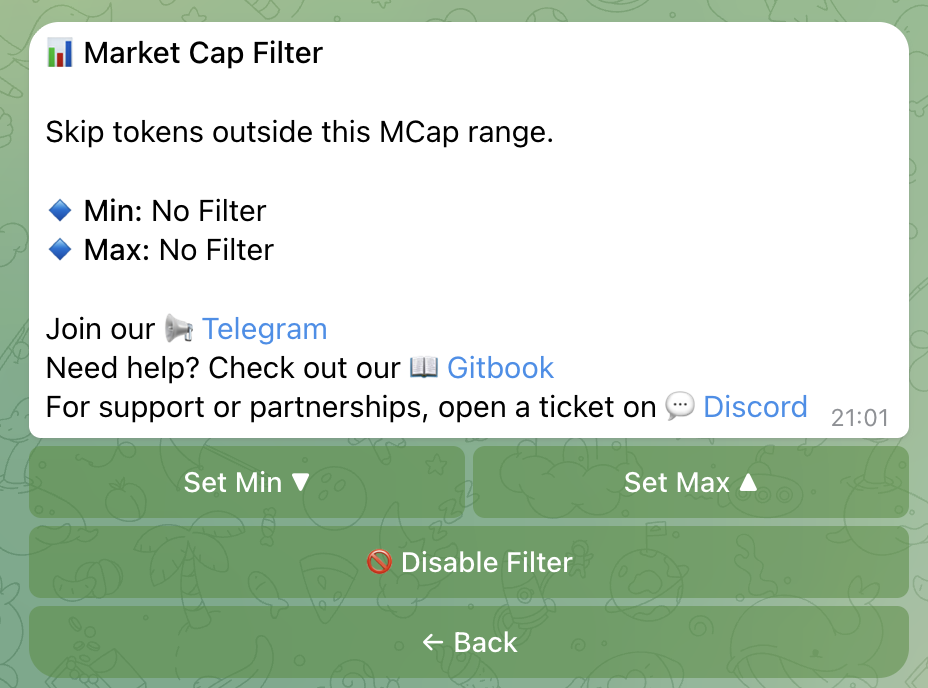
📊 Market Cap Filter
Market cap is the total value of a token’s supply. Filtering by market cap helps you focus on tokens at a specific stage of growth.
- Min Market Cap: Default for new users: $40,000
- Max Market Cap: Useful to exclude tokens that have already pumped significantly
- Quick presets: $20k, $40k, $60k, $100k, $200k, $500k + Custom
💧 Liquidity Filter
Liquidity is the amount of funds available for trading a token. Low liquidity means it is harder to buy or sell without moving the price significantly.
- Min Liquidity: Exclude tokens with very low liquidity (higher risk of getting stuck in a position)
- Max Liquidity: Optional upper bound
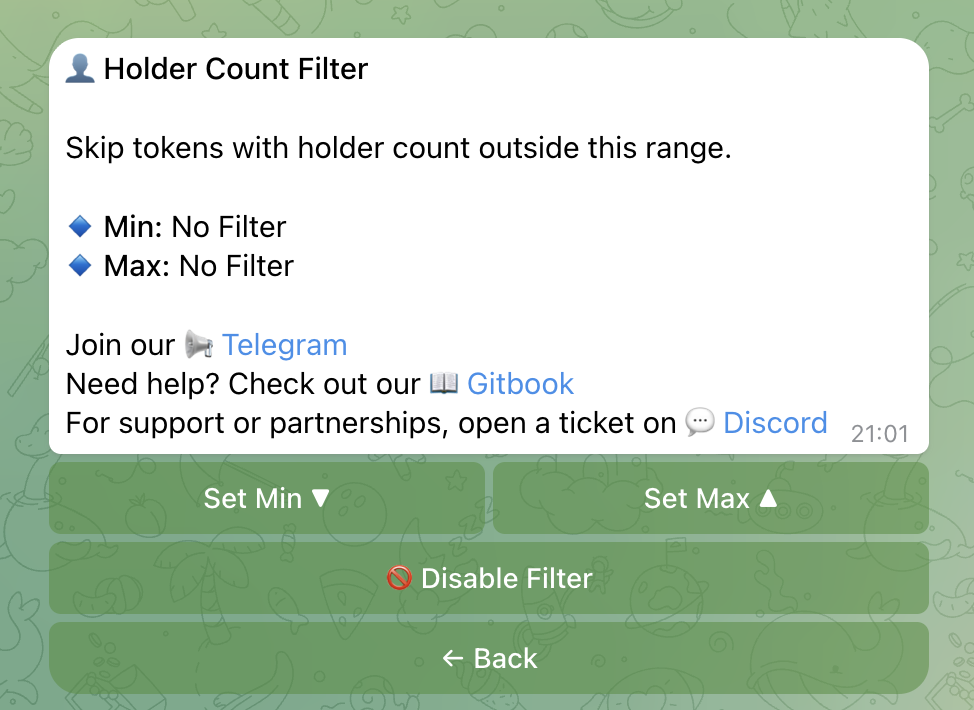
👥 Holder Filters
- Top 5 Holder % (Min/Max): Controls how concentrated token ownership is. A very high top-5% often signals that developers or whales hold most of the supply, which is a warning sign.
- Min/Max Holder Count: Filter out tokens with too few or suspiciously many holders at launch.
🔔 Alerts
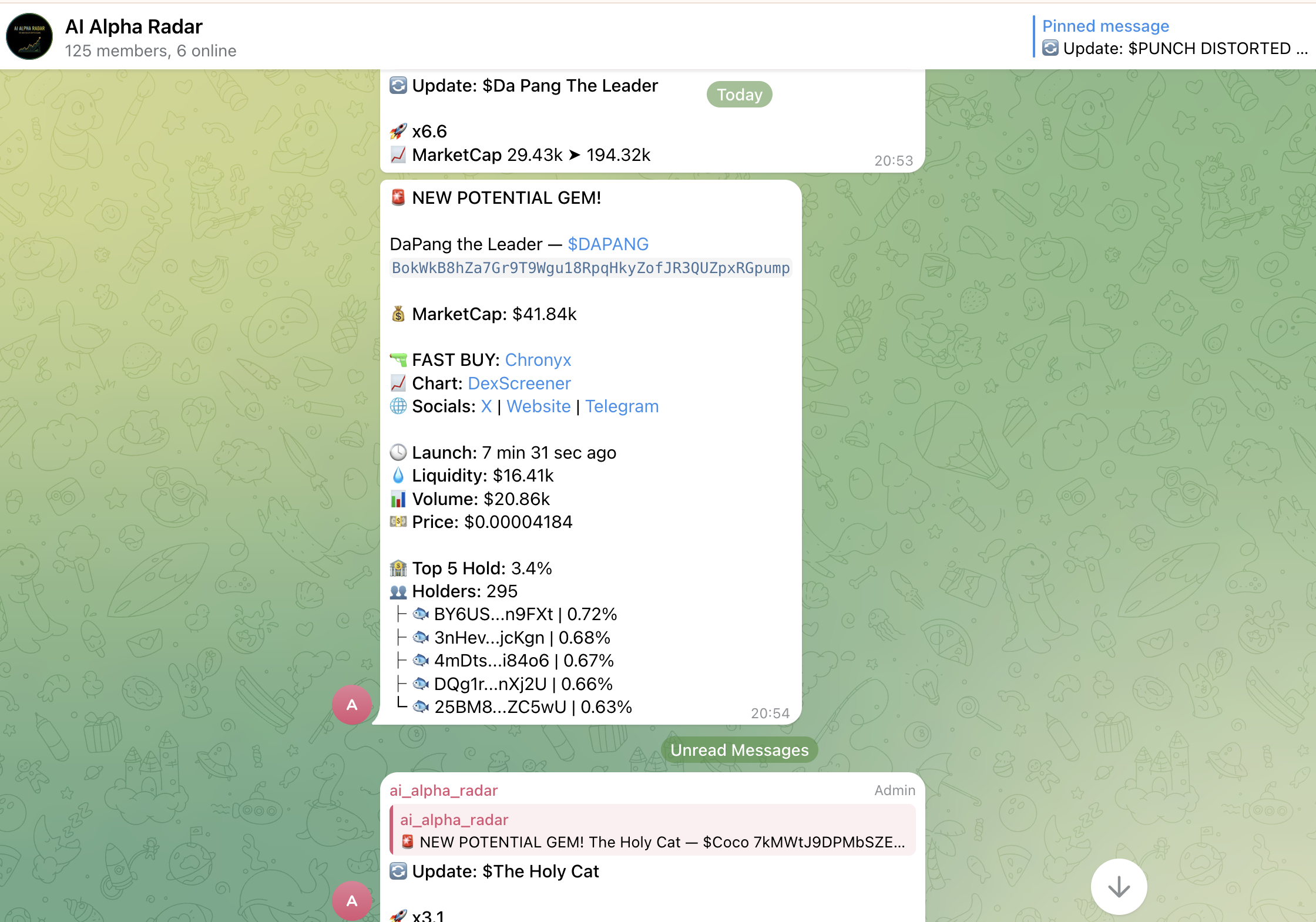
When a new token matches your filters, Chronyx sends you a Telegram alert containing:
- Token name, symbol, and contract address
- Current market cap and liquidity
- Holder stats
- A deeplink button to buy the token instantly in the bot
🤖 Auto-Buy
When Auto-Buy is enabled, Chronyx automatically purchases new tokens that match your filters. No manual action required.
Your configured Buy Amount is used for each purchase. Combined with Stop Loss, Take Profit, and Trailing Stop, your positions are protected from the moment they are opened.
Good to know: If 5 consecutive auto-buys fail (for example, because your wallet balance is too low), Alpha Radar will automatically deactivate itself and notify you. Simply top up your wallet and re-enable it.
Tip: Start with a small Buy Amount (like 0.05 SOL) until you are comfortable with your filter settings. You can always increase it later.
👉 Next: Set up Stop Loss & Take Profit to protect your positions automatically.